Keep your screen awake.
Stay always online
MacMouseJiggler is a lightweight macOS app that prevents your screen from sleeping by simulating mouse movement.


Keep your Mac awake, effortlessly.
A lightweight macOS utility that simulates mouse movement. Nothing more, nothing less.
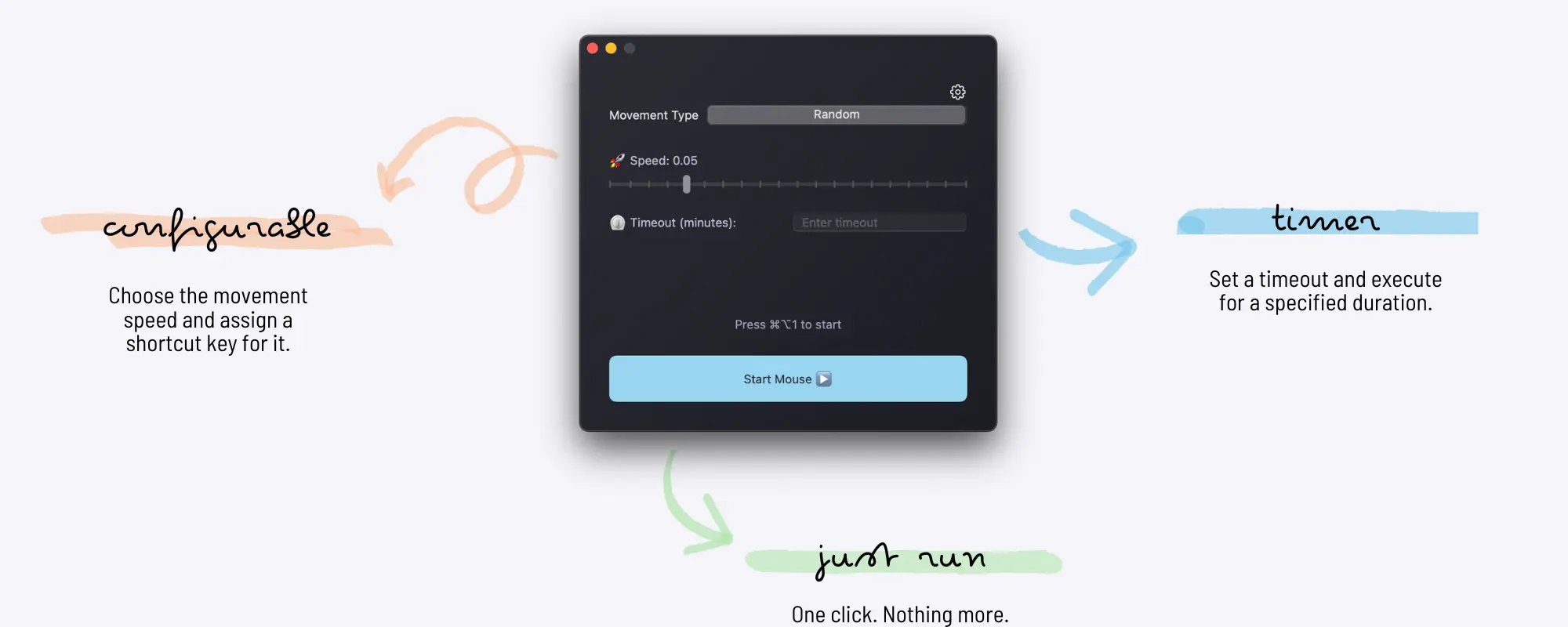
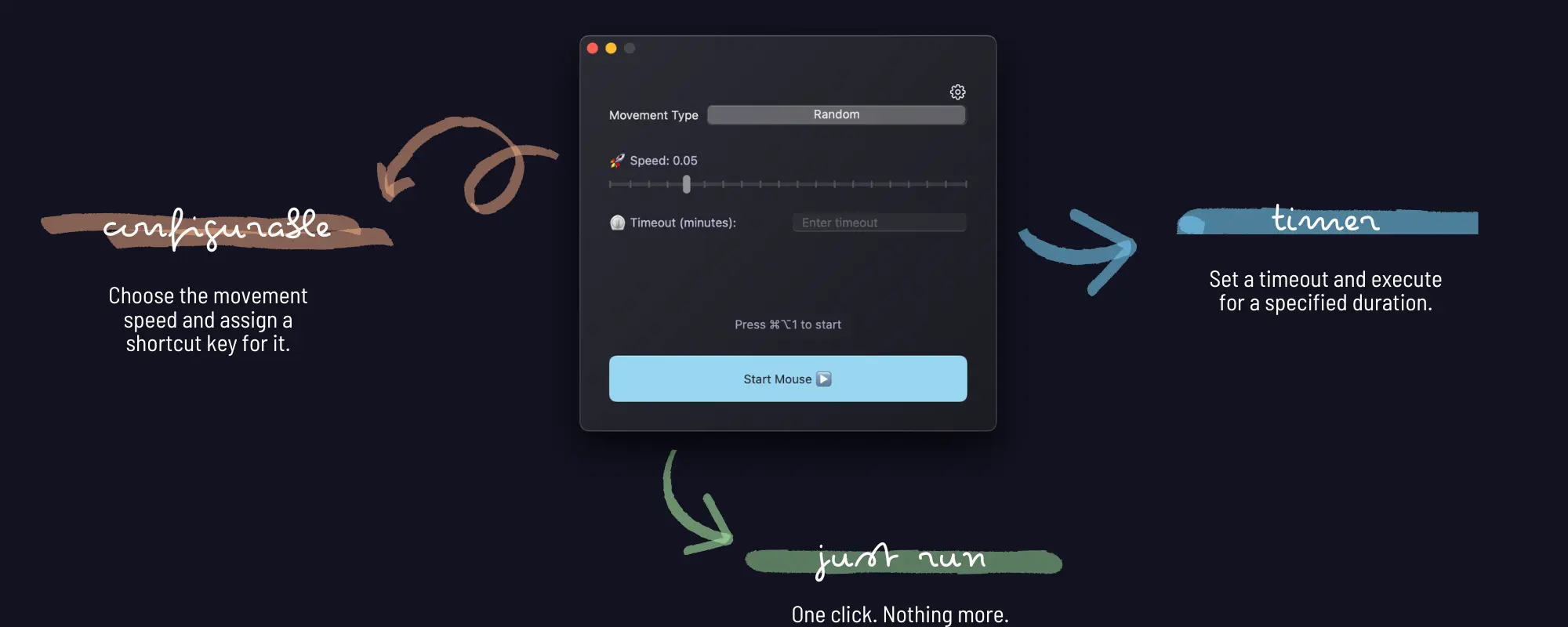
Lightweight
Minimal CPU and memory usage. Runs silently in the background without affecting your Mac's performance.
Simulates Movement
Periodically moves the cursor to maintain your online status in messaging apps and prevent screen timeout.
Simple to Use
One click to start. No complex configuration needed. Just run MacMouseJiggler and let it do the work.
Frequently Asked Questions
What is MacMouseJiggler?
MacMouseJiggler is a lightweight macOS utility that simulates mouse movement to keep your screen awake and prevent the system from sleeping.
How does MacMouseJiggler keep my Mac awake?
MacMouseJiggler periodically simulates small mouse movements, which prevents macOS from activating the screen saver or sleep mode.
Is MacMouseJiggler safe to use?
Yes. MacMouseJiggler is a native macOS application. It only simulates mouse movement. The app may make network requests to verify a license or check for updates, but it does not access your files or personal data.
What macOS version does MacMouseJiggler require?
MacMouseJiggler requires macOS 13 (Ventura) or later.
Does MacMouseJiggler slow down my Mac?
No. MacMouseJiggler is designed to be extremely lightweight, using minimal CPU and memory so it will not affect your Mac's performance.
What is the difference between the Trial and the Pro version?
The Trial version limits jiggling to 10 minutes per session and does not include keyboard shortcuts or custom timeout settings. You can freely try the Trial to verify compatibility and whether it meets your use cases. The Pro version (€3.99, one-time payment) removes all limits and unlocks all features including unlimited usage, customizable keyboard shortcuts, and custom timeout settings.
Get it now
MacMouseJiggler Trial
Try before you buy- Prevent screen lock & sleep mode
- 10 minutes limit per session
- No keyboard shortcuts
- No custom timeout settings
- Requires macOS 13 or later
MacMouseJiggler Pro
Full features unlocked- Prevent screen lock & sleep mode
- Unlimited usage time
- Customizable keyboard shortcuts
- Custom timeout settings
- Multiple seats
- Lifetime updates
- Requires macOS 13 or later